
Most offices know what they pay for toner and for the lease, and almost nothing about what printing costs them in total. A print audit is the way to find out. It is an assessment of every device, every site and every print job over a set period, and it ends with a report that says what the estate costs, where the waste sits and what to change first.
For a business in Kent or the South East weighing up managed print services, the audit is the first step, because it replaces guesswork with a device-by-device picture. This guide explains what a print audit includes, how long it takes, what the report contains and what it costs.
Key takeaways
- An audit measures every device and print job across your sites and turns them into costs, waste and savings.
- It runs with your permission alongside normal work, and nobody has to stop printing.
- The report lists each device, its volumes and its toner use, then the savings in money, time, energy and CO2.
- Insight Systems' audit is free with no obligation, and you keep the report whatever you decide next.
- Quocirca found 67% of organisations had a print-related data loss in the past year, so security is part of what an audit checks.
What is a print audit?
A print audit is a structured assessment of an organisation's printing: the devices in use, how much each one prints in mono and colour, who prints what, and what it all costs in consumables, energy and time. It produces a report that shows the true cost of the estate and where that cost can be cut.
It goes further than a meter read. A meter read tells you a number; an audit tells you what the number means. It looks at the kinds of document being produced, which teams print most, which devices sit idle for days at a time and which are worked hard, how supplies are ordered and stored, and whether sensitive pages are protected at the machine or left in an output tray for anyone to collect.
The audit is non-intrusive and runs with your permission, as the earlier explainer on why you need a print audit set out. Nobody stops printing, and the people doing the work do not need to change how they do it while the measurement runs.
What does the audit measure?
It measures page counts by device, colour against mono, the kinds of document produced, which teams print most, the toner consumed, the energy each device draws and the CO2 that implies. It also records devices that sit idle or are past their economic life, and checks whether sensitive documents are protected at the printer.
Cost is the first reason most businesses ask for one. Print is rarely a single line in the accounts: the lease sits in one place, toner in another, paper in a third, and the engineer call-outs somewhere else again. PaperCut, which makes print management software, puts unmanaged printing at anywhere from 1% to 15% of a business's expenses, and the wide range is the point. Until the numbers are pulled together, nobody knows which end of it they are at.
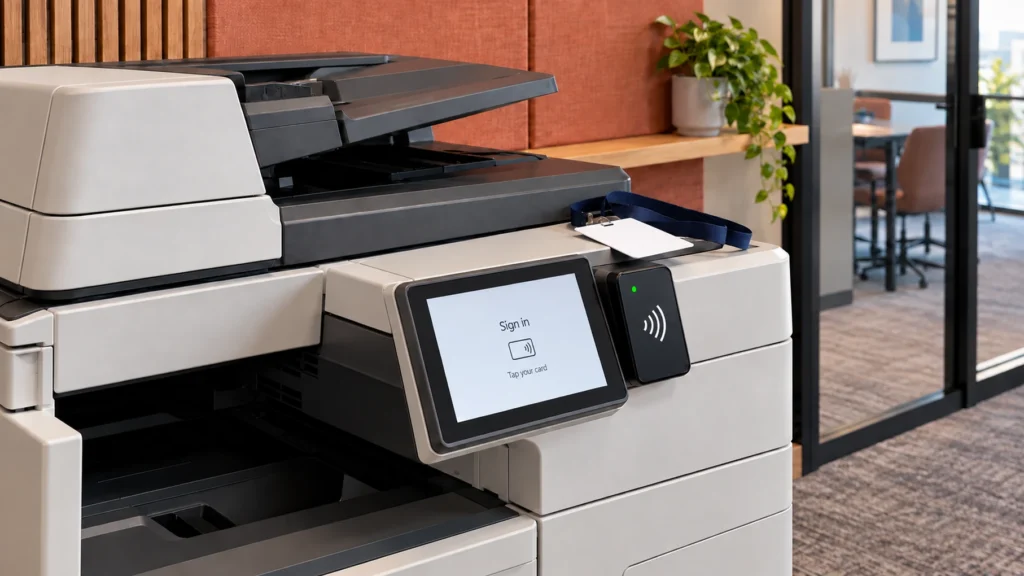
Security is the second reason, and it has moved up the list. In Quocirca's 2026 survey of 400 IT decision makers in the UK, France, Germany and the US, 67% reported a print-related data loss in the past year, up from 56% the year before. A page left in a tray is a data loss. An audit records which devices release documents only when the person who sent them is standing at the machine, a feature that software such as PaperCut MF adds to a fleet.
The third reason is the environmental one, and it is now a supplier question as much as an internal one. Quocirca's 2025 print industry trends report found that 78% of IT decision makers say it is important that their supplier monitors the environmental impact of the print environment. An audit gives that monitoring a baseline: the energy the estate draws, the paper it consumes and the CO2 the two imply, which is what a sustainability target needs before it can be measured.
| Measure | How it is measured | What it tells you |
|---|---|---|
| Page volumes by device | Usage recorded on every device over a set period | Which devices carry the load and which sit idle |
| Colour against mono | The same usage, split mono against colour | How much colour printing costs and where it is unnecessary |
| Documents and teams | Usage by team and document type over the period | Who prints what, and which workflows still depend on paper |
| Toner and consumables | Supply orders and yields per device | The real cost per page and any over-ordering |
| Energy and CO2 | Device power ratings against usage | What the estate draws and what a newer device would save |
| Security | Device settings and release methods | Whether documents wait in trays for anyone to pick up |
| Device age and fit | Model, age, location and service history | What is past its economic life or in the wrong place |
How long does it take?
Insight Systems replies within one working day of a request to arrange the audit. The assessment then runs in two stages: usage is measured across every device and site, and the findings are written up as a report. The measurement runs alongside normal work, and the report follows once a fair period of printing has been captured.
How long the measurement runs depends on the number of sites and devices, and on how long a period gives a true picture of your printing. A single office with a handful of devices takes less time than a multi-site estate, and a business with a strong monthly or term-time cycle needs the measurement to cover it.
The assessment covers current usage across every device and site, with your permission and without disrupting the working day. Ask before it starts what, if anything, needs to go on your network; a good auditor tells you before touching it.
What does the report include?
The report lists every device by brand, model and location, its mono and colour volumes and its toner use, and then translates those into savings: productivity, energy, time, achievable CO2 reductions and, through paper saved, the number of trees. It is written so that a finance lead can act on it without a technical briefing.
That list is what a print audit includes at minimum; a good one also names the changes in order of saving. Read it in two passes. The first pass is the inventory: what you have, where it is and how hard each device works. This is where idle machines, duplicate devices in the same room and colour printing of documents that never needed colour show up. The second pass is the money: the cost per page each device really carries once toner, parts and energy are counted, set against what a smaller, newer or better placed fleet would cost.
The energy and CO2 lines are the ones that have changed most in recent years, because the devices have. Epson's published comparison of its heat-free inkjet technology against laser devices puts the difference at these levels:
Source: Epson's published comparison of its heat-free technology against laser devices. Figures vary by model and workload.
Those are the manufacturer's figures, and the saving for any one office depends on the models in the comparison and how hard they are worked, which is exactly what the audit measures.
How much does it cost?
Insight Systems' print audit is free, with nothing attached: no fee, no obligation and you keep the report whether or not you go any further. Some providers fold an audit into a contract they expect you to sign, so ask what "free" covers before you agree to one.
Three questions settle it. Is the report yours to keep? Are the findings specific to your devices rather than a generic estimate? Does a quote follow only if you ask for one? An audit from an independent provider that supplies Ricoh, Kyocera, Konica Minolta, Toshiba, Brother and Epson has no reason to steer the findings towards one brand, which is the other thing to check before you say yes.
What happens afterwards?
The report gives you a list of changes in order of saving, and the decision stays with you. The common routes are a managed print contract covering toner, parts and servicing, consolidating idle devices, secure release software, and replacing devices past their economic life through a lease. Doing nothing, with the numbers in hand, is also a choice.
Which route fits depends on what the audit found. A fleet with a high colour ratio and no release software usually starts with the software, because the saving arrives without a new device. A fleet of ageing machines with rising call-outs usually starts with printer leasing and a smaller device count. Schools have used the same data to plan budgets, as the guide to print analytics for school budgets describes, and the approach works the same way for a solicitor's office or a warehouse.
If you want the numbers for your own office, a free print audit is the quickest way to get them, and there is nothing to sign at the end.
Is it worth it for a small office?
Yes, if the office prints most days and nobody has counted what that costs. A small fleet hides its waste as well as a large one: a colour device doing mono work, a machine bought outright and long past its best, or documents printed twice because the first copy went missing from the tray. The audit finds those quickly.
The result is a short list of changes with a figure against each, and the choice of whether to act on any of them. For an office that has never had that list, requesting one costs nothing but the time it takes to fill in the form.
Frequently asked questions
A print audit is a structured assessment of an organisation's printing: every device, its volumes in mono and colour, who prints what, the toner and energy consumed and the cost of all of it. It produces a report that shows what the estate costs, where the waste sits and what to change first, in order of saving.
Insight Systems' audit is free, with no fee and no obligation, and the report is yours to keep whatever you decide. Other providers may fold an audit into a contract, so ask what free covers, whether the findings are specific to your devices and whether a quote follows only if you ask for one.
Insight Systems replies within one working day to arrange it. The measurement then runs across every device and site alongside normal work, for long enough to give a true picture of your printing, and the report follows. A single office takes less time than a multi-site estate, and a strong monthly or term-time cycle needs to be covered.
Every device by brand, model and location; its mono and colour volumes and toner use; and the savings those imply in productivity, energy, time and CO2, with paper saved expressed as trees. It is written for a finance or operations lead to act on, with the changes listed in order of saving.
Ask before it starts. Insight Systems assesses usage across every device and site with your permission and without disrupting work; what, if anything, needs to go on your network depends on your setup, and you should be told before anything is touched.
Free, no obligation, and you keep the findings whatever you decide.
Request a Free Print Audit