

In today’s educational climate, where budgets are tight and accountability is high, School Business Managers are under increasing pressure to make every penny count. Whether it’s managing energy bills, procurement processes, or operational expenditure, schools are seeking new ways to operate more efficiently without compromising the quality of education. One often-overlooked area where cost-saving potential lies is in print management - and specifically, the use of print analytics.
Many schools are surprised to learn how much they spend on printing, let alone how much of that spend could be avoided with the right visibility and control mechanisms in place. Print analytics offers exactly that. It’s a data-driven approach to understanding and managing print environments, giving school business managers, IT teams, and finance officers the insight they need to cut waste, reduce costs, and make smarter long-term decisions.
What is Print Analytics?
Print analytics is the process of collecting, measuring, and analysing data from a school's entire printing ecosystem. This includes every document printed, the user or department responsible, the type of print (e.g. mono or colour), page counts, paper sizes, and printer locations. Advanced solutions even provide real-time monitoring, predictive alerts, and reporting dashboards, enabling schools to make informed operational and budgetary decisions based on how their devices are actually being used.
While many schools have already moved towards managed print services, integrating print analytics adds another layer of strategic control. Rather than just outsourcing the maintenance of printers, schools can actively track usage patterns, uncover inefficiencies, and make proactive changes that contribute to both short- and long-term savings.

Why Schools Need Greater Visibility Into Printing
School printing costs are often considered a necessary, static expense in school budgets, one that is rarely questioned or examined in detail. However, research has shown that uncontrolled print environments can result in up to 15% of an organisation’s annual budget being lost to unnecessary printing. In schools, this impact is magnified due to a range of contributing factors:
- High volumes of worksheets, lesson plans, admin reports, and internal memos
- A lack of standardised print policies between departments
- Unmonitored access to colour printing
- Outdated or inefficient devices consume more energy and supplies than necessary
- Reprinting caused by misprints or low-quality output
Without visibility, these issues go unnoticed. Print analytics helps address this by showing who prints what, where, and how often - information that is critical when exploring how to manage waste in the printing industry at a school level.
Departmental Insights and Accountability
One of the most immediate advantages of print analytics is the ability to analyse print activity by department. For instance, a secondary school might notice that the humanities department prints twice as many documents per month as science or maths. With print analytics, the school Business Manager can investigate whether this is justified by workload or if there are inefficiencies, such as printing multiple versions of handouts or using colour unnecessarily.
In another example, the administrative team may be generating hundreds of pages of internal documentation that could easily be moved to a digital platform. With this insight, schools can implement targeted training or introduce digital workflows to reduce printing volumes.
This level of granular reporting is invaluable for school leaders who want to move away from across-the-board cost-cutting and instead adopt a more targeted approach to managing budgets. Rather than imposing restrictions that impact productivity or teaching quality, they can focus on high-impact areas where real savings can be made.
Tracking Usage at the Individual Level
Beyond departmental oversight, print analytics also enables tracking by individual users, which is a powerful tool for encouraging responsible printing behaviours. When staff know that their printing activity is being recorded (even anonymously), they’re more likely to be thoughtful about what they print, whether it needs to be colour, or if it could be shared digitally instead.
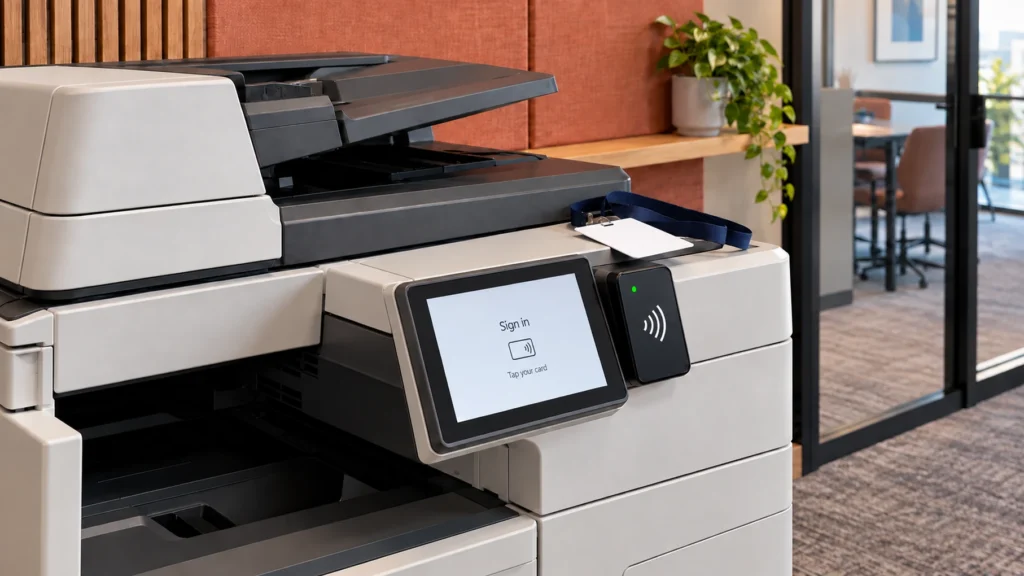
In some schools, this has led to the introduction of user quotas or budget allocations, where each member of staff has a monthly print allowance. When paired with secure print release functionality (i.e. printing only occurs when the user is physically present to authorise it), schools can significantly reduce unnecessary or forgotten print jobs.
By reducing waste through behavioural changes, print analytics to reduce waste becomes more than a cost-saving measure; it becomes part of a cultural shift towards efficiency and accountability.

Proactive Print Infrastructure Planning
Print analytics can also guide hardware planning and procurement. By reviewing device utilisation across the school, IT managers can identify:
- Underused printers that could be removed or relocated
- Overused devices that may require upgrading
- Inefficient routes where staff walk long distances to reach shared printers
- Devices consistently printing high volumes that could benefit from more robust models or faster throughput
These insights help prevent reactive spending and allow schools to align infrastructure investment with actual demand. Instead of assuming more printers are needed during busy periods, analytics may show that print queues could be managed more efficiently by rebalancing workloads between devices.
Additionally, predictive maintenance features are available in more advanced print management solutions and can alert teams when devices are likely to fail or require service. This minimises downtime and avoids the disruption of sudden breakdowns, ensuring uninterrupted access to print resources while avoiding unnecessary service call-outs.
Strengthening Budget Forecasting and Procurement
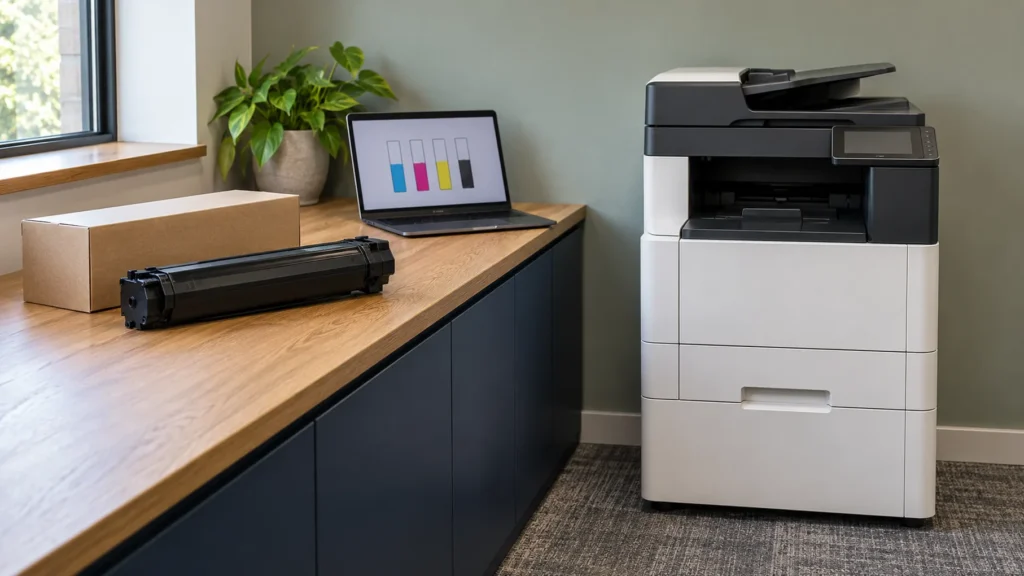
Schools that rely on historic ordering patterns for toner, paper, and maintenance supplies often find themselves either overstocked or scrambling for last-minute deliveries. Print analytics changes this by providing accurate, real-time consumption data.
With visibility into usage trends, schools can:
- Forecast toner usage by device or department
- Set automatic reorder thresholds
- Consolidate supplier orders to reduce costs
- Align procurement contracts with actual demand
- Eliminate surplus stock and waste
This level of control translates into more accurate budget forecasting, which is particularly important for academies and independent schools that must demonstrate effective financial management to boards, governors, and auditors.
Driving Sustainability Goals
Sustainability is no longer an optional extra for schools. From local councils to education trusts, there is a growing expectation for schools to demonstrate measurable progress toward reducing their environmental footprint. Paper and toner usage, energy consumption, and electronic waste from outdated hardware all contribute to a school’s carbon impact.
Using print analytics, schools can:
- Reduce paper waste through double-sided and black-and-white defaults
- Monitor reductions in CO₂ equivalent based on reduced printing
- Set and measure sustainability targets per department or campus
- Track how much toner and paper is being saved annually
- Identify devices with high energy consumption and plan replacements
By integrating environmental KPIs into print management, schools can link operational changes directly to sustainability objectives - a powerful message to stakeholders and a meaningful way to contribute to climate goals.

Making the Case to Stakeholders
School governors, academy trust CFOs, and other senior stakeholders often need a clear case to approve changes in infrastructure or spending. Print analytics provides the hard evidence needed to make those business cases compelling.
Whether it’s demonstrating how much could be saved annually by introducing secure print release, or showing the impact of replacing ten ageing printers with three multi-functional devices, decision-makers gain the clarity they need to make confident, data-backed choices.
And importantly, this isn’t just about saving money; it’s about reinvesting that money where it matters most: classroom resources, staff development, or student support services.
A Smarter Way Forward
For schools that are serious about managing costs, reducing waste, and supporting a sustainable future, print analytics is an essential part of the toolkit. It’s not just a reporting tool, it’s a lens through which schools can understand their day-to-day operations and make better decisions as a result.
At Insight Systems, we help schools across the UK implement smart print management solutions that deliver real impact. Our tailored analytics tools give leadership teams the insight they need to take control of their printing environment, align with strategic goals, and deliver measurable results.
Want to find out how print analytics could work in your school?
Contact Insight Systems today for a free print audit and discover new ways to reduce waste, save money, and streamline operations.
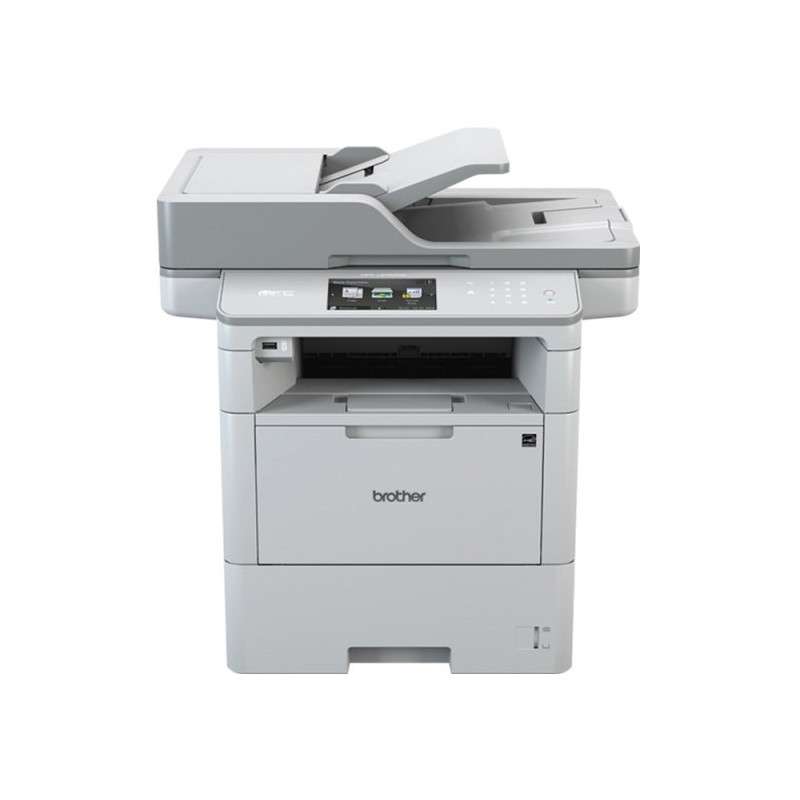
Brother MFC-L6970DW
Professional Business Mono Multifunction Laser Printer
Tailored for high-volume black-and-white printing, the MFC-L6970DW delivers business-grade features and durability ideal for busy offices.
 Key Features of the Brother MFC-L6970DW
- Suplex printing up to 50ppm (colour/mono)
- 12.3cm colour touchscreen
- 570-sheet paper input capacity as standard
- 2-sided automatic document feeder (ADF)
- Scan speeds up to 100(ipm)
- Integrated NFC Reader and Business solution ready
Exclusive Brother Multifunction Laser Printers We Recommend
Brother’s exclusive range of multifunction laser printers, available only through authorised partners like Insight, is engineered to deliver exceptional performance, enhance productivity, and minimise downtime for busy workgroups and professional environments.
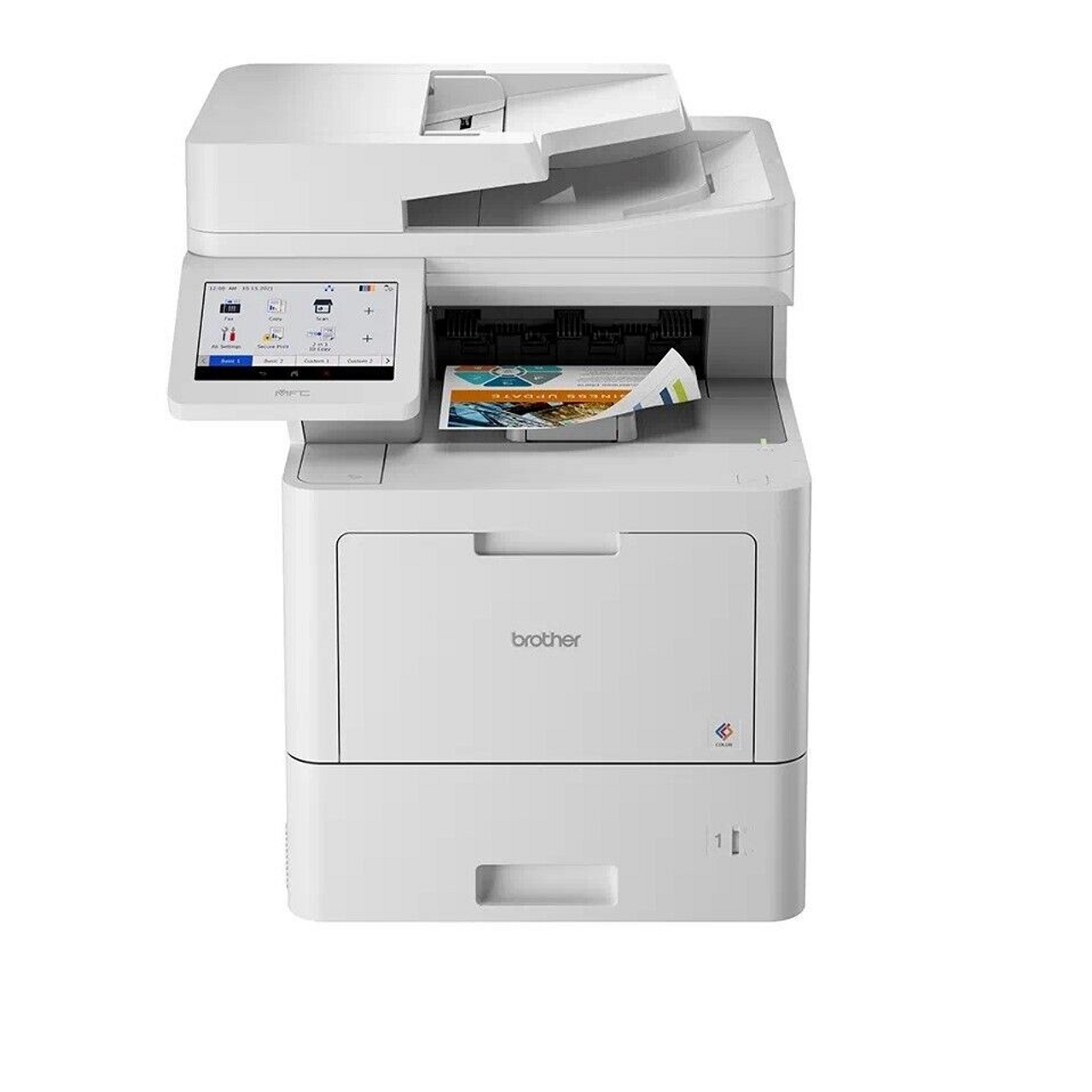
Brother MFC-EX670
Professional Workgroup Colour Multifunction Laser Printer
The Brother Workhorse MFC-EX670w is purpose-built for mid to large-sized workgroups that demand reliability, security, and cost efficiency. It combines high-speed printing with scalable paper handling, all in a compact footprint.
 Key Features of the Brother MFC-EX670
- Duplex printing up to 42ppm (colour/mono)
- 17.6cm colour touchscreen
- 620-sheet paper capacity, expandable up to 2,700 sheets
- 100-page capacity automatic document feeder (ADF)
- Scan speeds up to 104(ipm)
- Built-in Gigabit Ethernet interface and dual-band wireless module (2.4GHz / 5GHz)
Brother MFC-EX910
Professional Workgroup Mono Multifunction Laser Printer
The MFC-EX910 is designed for high-demand, mono-only environments where reliability, print speed, and seamless integration into existing workflows are critical.

Key Features of the Brother MFC-EX910
- Duplex printing up to 50 ppm (mono)
- 17.8cm colour touchscreen
- 520-sheet paper input capacity, expandable up to 2,600
- 80-sheet 2-sided automatic document feeder (ADF)
- Scan speeds up to 100(ipm)
- Built-in Gigabit Ethernet interface and optional 5GHz Wi-Fi
Brother MFC-L6970DW
Professional Business Mono Multifunction Laser Printer
Tailored for high-volume black-and-white printing, the MFC-L6970DW delivers business-grade features and durability ideal for busy offices.
Key Features of the Brother MFC-L6970DW
- Suplex printing up to 50ppm (colour/mono)
- 12.3cm colour touchscreen
- 570-sheet paper input capacity as standard
- 2-sided automatic document feeder (ADF)
- Scan speeds up to 100(ipm)
- Integrated NFC Reader and Business solution ready
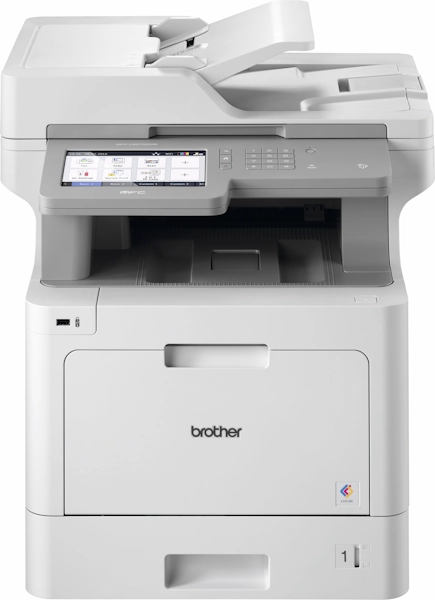
Brother MFC-L9577CDW
Professional Business Colour Multifunction Laser Printer
Optimised for teams printing up to 6,000 pages per month, the Brother MFC-L9577CDW delivers vibrant, professional-quality colour output alongside versatile functionality and security features.
Key Features of the Brother MFC-L9577CDW
- High-speed printing up to 31 pages per minute (mono/colour)
- Automatic two-sided (duplex) printing, copying, and scanning
- Integrated NFC card reader for secure user authentication
- Print: Up to 31ppm (mono), supports duplex over wired and wireless networks
- Copy: Up to 31cpm (mono), includes functions like enlargement, 2-in-1, and 4-in-1 copying
- Scan: From flatbed or ADF, up to 19,200 x 19,200 dpi (interpolated), supports scan to USB, Email, Cloud, OCR, SharePoint and more
- Fax: 33.6K modem, PC faxing, automatic redial, error correction, dual access, up to 500-page memory, duplex capability
Exclusive Brother Multifunction Laser Printers We Recommend
Brother's exclusive range of multifunction laser printers, available only through authorised partners like Insight, is engineered to deliver exceptional performance, enhance productivity, and minimise downtime for busy workgroups and professional environments.
Exclusive Brother Multifunction Laser Printers We Recommend
Brother’s exclusive range of multifunction laser printers, available only through authorised partners like Insight, is engineered to deliver exceptional performance, enhance productivity, and minimise downtime for busy workgroups and professional environments.
Brother MFC-EX670
Professional Workgroup Colour Multifunction Laser Printer
The Brother Workhorse MFC-EX670w is purpose-built for mid to large-sized workgroups that demand reliability, security, and cost efficiency. It combines high-speed printing with scalable paper handling, all in a compact footprint.
Key Features of the Brother MFC-EX670
- Duplex printing up to 42ppm (colour/mono)
- 17.6cm colour touchscreen
- 620-sheet paper capacity, expandable up to 2,700 sheets
- 100-page capacity automatic document feeder (ADF)
- Scan speeds up to 104(ipm)
- Built-in Gigabit Ethernet interface and dual-band wireless module (2.4GHz / 5GHz)
Brother MFC-EX910
Professional Workgroup Mono Multifunction Laser Printer
The MFC-EX910 is designed for high-demand, mono-only environments where reliability, print speed, and seamless integration into existing workflows are critical.
Key Features of the Brother MFC-EX910
- Duplex printing up to 50 ppm (mono)
- 17.8cm colour touchscreen
- 520-sheet paper input capacity, expandable up to 2,600
- 80-sheet 2-sided automatic document feeder (ADF)
- Scan speeds up to 100(ipm)
- Built-in Gigabit Ethernet interface and optional 5GHz Wi-Fi
Brother MFC-L6970DW
Professional Business Mono Multifunction Laser Printer
Tailored for high-volume black-and-white printing, the MFC-L6970DW delivers business-grade features and durability ideal for busy offices.
Key Features of the Brother MFC-L6970DW
- Suplex printing up to 50ppm (colour/mono)
- 12.3cm colour touchscreen
- 570-sheet paper input capacity as standard
- 2-sided automatic document feeder (ADF)
- Scan speeds up to 100(ipm)
- Integrated NFC Reader and Business solution ready
Brother MFC-L9577CDW
Professional Business Colour Multifunction Laser Printer
Optimised for teams printing up to 6,000 pages per month, the Brother MFC-L9577CDW delivers vibrant, professional-quality colour output alongside versatile functionality and security features.
Key Features of the Brother MFC-L9577CDW
- High-speed printing up to 31 pages per minute (mono/colour)
- Automatic two-sided (duplex) printing, copying, and scanning
- Integrated NFC card reader for secure user authentication
- Print: Up to 31ppm (mono), supports duplex over wired and wireless networks
- Copy: Up to 31cpm (mono), includes functions like enlargement, 2-in-1, and 4-in-1 copying
- Scan: From flatbed or ADF, up to 19,200 x 19,200 dpi (interpolated), supports scan to USB, Email, Cloud, OCR, SharePoint and more
- Fax: 33.6K modem, PC faxing, automatic redial, error correction, dual access, up to 500-page memory, duplex capability
Exclusive Brother Multifunction Laser Printers We Recommend
Brother's exclusive range of multifunction laser printers, available only through authorised partners like Insight, is engineered to deliver exceptional performance, enhance productivity, and minimise downtime for busy workgroups and professional environments.