A supplier queries an invoice from two years ago, and someone loses half an hour going through a shared drive, an inbox and a filing cabinet to find it. Research published by iManage in June 2026, a company that sells document software itself, found that UK knowledge workers lose an average of 39 minutes a day searching for information.
Document management software is built for that problem. It captures your paper and digital documents, stores them in one secure place, moves them through approvals and lets the right people find them in seconds.
This guide explains what it does, how it differs from a shared drive and what it costs in the UK, with prices checked in Nov 2026. We supply and support DocuWare, so our examples and price figures use that product.
Key takeaways
- Document management software captures, stores, routes and finds documents from one secure system.
- A shared drive holds files; a document management system also files them, routes them and logs access.
- DocuWare publishes a UK Cloud price of £10 to £60 per user per month, depending on functions and scale.
- Named users, workflow users, storage and set-up work are what move the price.
- A scan can replace some paper invoices for VAT, but some records must stay in their original form.
What is document management software?
Document management software is a system that captures paper and digital documents, stores them in one secure place, moves them through approvals and lets the right people find them in seconds. It also records who accessed each file and when, so you can show what happened to a document.
You may also see it called a DMS or a document management system, and the terms mean the same thing. It handles the paper your business still receives, such as signed contracts and delivery notes, and the digital files already scattered across email, desktops and shared folders.
Each document gets indexed, so staff can search for a supplier name or an invoice number without knowing which folder a colleague chose in 2023. Access rules decide who can see it. For a finance lead or an office manager, that means quicker answers to queries and less risk of a sensitive file reaching the wrong person.
Our earlier explainer on document management software goes further into the terminology, including how a DMS relates to enterprise content management.
How does a document management system work?
A document management system works in four steps. It captures a document from a scanner, an upload or an email, stores it securely with an index, routes it to the people who need to act on it, and lets staff retrieve it from any device later.
On the DocuWare set-up we supply, nobody files anything by hand, because the software connects to your printer, scanner and email. A supplier invoice or a signed form would follow these steps.
- Capture. A member of staff scans a document, uploads a file or forwards an email, and the system stores it.
- Store. The document is held securely in the cloud, indexed and encrypted, with a record of who accessed it and when.
- Automate. Preconfigured workflows pass the document to the right people and prompt them when an approval is due.
- Retrieve. Anyone with permission finds the document by search and opens it at a desk, at home or on the move.
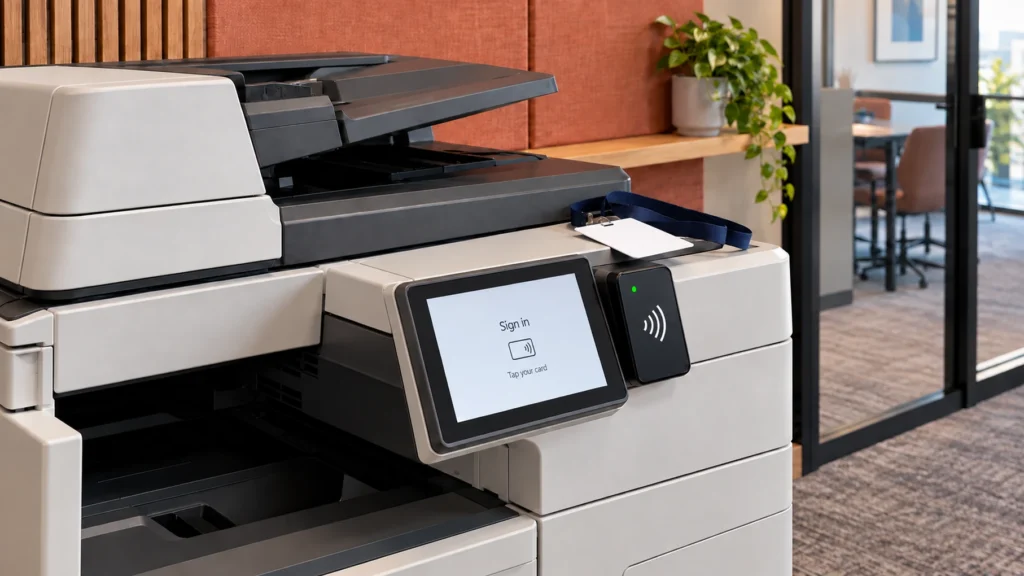
Your office multifunction printer is often where this starts, because a modern MFD already scans. If you only need the scanning step on a Ricoh device with a Smart operation panel, Ricoh Smart Integration does a different job. It sends scans from the printer's panel to cloud services, with OCR (text recognition that makes a scan searchable) in 19 European languages.
The automate step saves the chasing. An invoice can reach its approver as soon as it arrives, and the system prompts that person so it does not sit unnoticed in an inbox.
How is it different from a shared drive or cloud storage?
A shared drive or cloud storage holds files and lets people open them, and for many small teams that is enough. A DMS adds automatic filing, search by index, approval routing, an access record and retention rules, so the system keeps documents in order and nobody has to rely on each person's filing habits.
| Job | Shared drive | Cloud storage | DMS |
|---|---|---|---|
| Filing | By hand, in folders | By hand, in folders | Automatic, by index |
| Finding | By file or folder name | By name or search | By index search |
| Approvals | By email | By link or email | Built-in workflows |
| Access log | Varies by set-up | Varies by plan | On every file |
| Retention | By hand | Varies by plan | Rules you set |
If five people share a handful of folders and nobody asks you to prove who saw what, a new system may add little. The case gets stronger as volumes grow, as more people need access, or when an auditor, a client or a regulator asks for evidence.
What do UK businesses use it for?
UK businesses commonly use document management software for invoice processing, HR records and any work where staff need files away from the office. These jobs share the same pressures: high volumes, sensitive content, legal retention periods and people who need an answer quickly without walking to a filing cabinet.
The same applies across sectors, and DocuWare publishes guides for finance and banking, education, healthcare, manufacturing, and transport and logistics.
Invoices and accounts
Each invoice has to be approved, paid and kept. A document system can extract the data as the invoice arrives, which cuts the rekeying and the errors that come with it. GOV.UK guidance says a limited company must keep records for 6 years from the end of the last financial year they relate to, and longer in some cases.
HMRC's VAT Notice 700/21 says a scanned image can stand in for some paper invoices, though not for every record, so check before shredding anything.
HR and personal data
HR files hold some of the most sensitive paper in the building: IDs, applications and DBS checks. Holding them in one place, with access controls and a record of who opened what, lowers the chance of the wrong person seeing them. The ICO says personal data must not be kept longer than you need it, and that organisations should set and document retention periods wherever they can.
When someone asks for a copy of their data, the ICO advises that well-designed information systems make it easier to find. Your printers hold data on their own drives too, and our GDPR page covers that side of the job.
Teams away from the office
A salesperson can open a contract or a quote on a phone before a meeting, and a warehouse team can capture and track delivery paperwork from a mobile device. Our post on DocuWare for logistics looks at that case in more detail.
What does a DMS cost in the UK?
DocuWare, the document management software we supply, publishes a UK Cloud price of £10 to £60 per user per month, depending on the functions you need and the scale of the system. Other products price differently, and set-up work is priced separately, so treat those figures as a starting point.
These figures come from DocuWare's UK pricing page, checked in Nov 2026. They are not a quote from Insight Systems, and your own price will depend on how the system is set up.
Source: DocuWare UK pricing page, checked 2 Nov 2026. All figures are DocuWare's published prices, not a quote from Insight Systems.
The first thing to count is how many people need full access. A named user is one designated person with the full product. A workflow user has limited functions for completing workflow tasks, saving forms and read-only access, at a lower price. An office where 10 people manage documents and 40 only approve them would not need 50 full users.
Each subscription includes some storage, and you can buy more at any time. According to DocuWare, paying for 12 months or more in advance earns a better price, though it gives no percentage. On the server version, you buy ownership licences and the price depends on the licences and modules you choose.
Budget for set-up as well. DocuWare describes a workshop of 2 to 5 days, followed by implementation, training, go-live and support, charged either at a fixed price for a defined scope or on time and materials where the scope may change. It publishes no figure for this work, so ask for one in writing alongside the licence price.
DocuWare's page also says that at only around 20 documents a month, the investment might not be as beneficial, so count your monthly invoices, forms and contracts first.
How do you choose a document management system?
Choose a document management system by starting with one process that causes trouble, such as invoice approval or HR records, and asking suppliers to show it working on your own documents. A demonstration on your own paperwork tells you more than a feature list and shows up set-up work before you sign.
Then check how it fits what you already run: your email, your scanners and MFDs, and any accounts software your documents need to reach. If you are also reviewing print control, our guide to print management software covers that related but separate job. We tailor DocuWare to the way each business works, and you should expect that from any supplier.
Ask every supplier the same five questions, so you can compare the answers side by side.
- Where is our data held, and who can access it?
- What does the full price include, from licences and storage to set-up and training?
- Who supports us after go-live?
- How do we get our documents out if we leave?
- Can we test it on our own documents first?
A business with no IT team needs a supplier who stays involved after go-live. Where documents are sensitive, ask what security standards a supplier holds; Insight Systems is certified to ISO 27001, the international standard for information security.
Does your business need one?
If your team regularly hunts for files, chases approvals by email or keeps paper because nobody is sure what can go, a system like this is worth a look. If you handle a few documents a month and a shared drive serves you well, you can probably wait. The fairest test is to try it on your own paperwork, so book a free DocuWare demonstration and we will walk you through the workflows that fit how you run.
Frequently asked questions
They overlap, but they are not the same product. Microsoft documents the document management features in SharePoint, which can keep version history, apply retention policies and run approvals through Power Automate. Much of that needs planning and set-up by someone who knows the platform. A dedicated system such as DocuWare comes with indexing, workflows and forms already included in each cloud plan.
Sometimes, but check first. For VAT, HMRC says you may not need the original invoice if a scanned image holds all the required detail, yet some records, such as a C79 import VAT certificate, must be kept in their original form. Contracts, deeds and regulated records can carry their own rules, so agree a written policy with your accountant or legal adviser before anything goes in the shredder.
No, software cannot make you compliant by itself. Access controls, audit trails and encryption help, but you still decide why you hold personal data, who may see it and how long you keep it. The ICO expects organisations to justify their retention periods, review what they hold and delete or anonymise what they no longer need. Set those rules first, then apply them in the system.
DocuWare is a paid product, but we offer a free demonstration. You can test the software with your own documents and see whether it fits your business before you commit to anything. There is no obligation, and a member of the team will be in touch within one working day of your request.
We run free DocuWare demonstrations, so you can test it on your own paperwork before you commit to anything.
Talk to Us About DocuWare