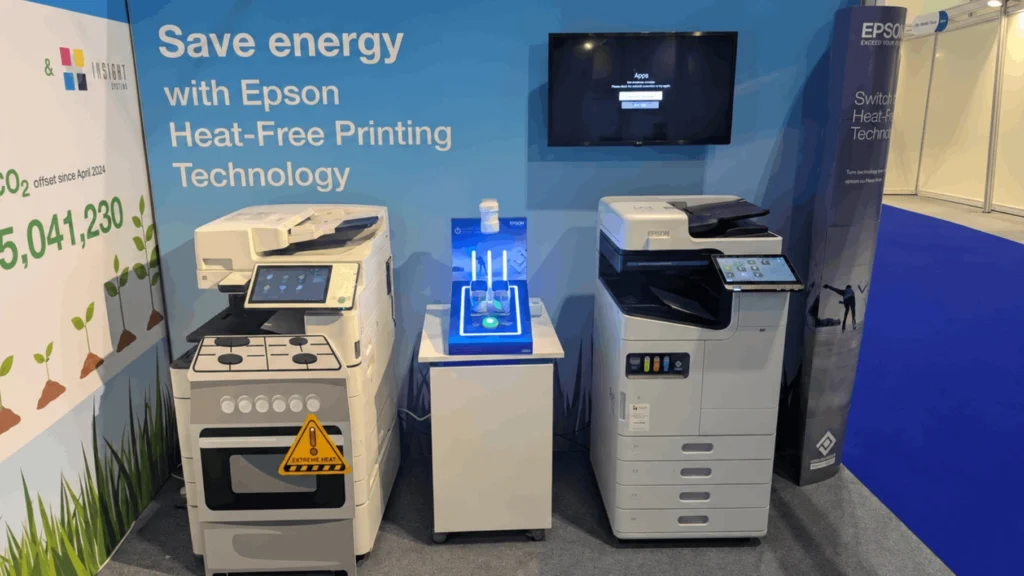
Energy bills and carbon reporting have put the office printer on the list of things finance and facilities teams question. When a lease comes up for renewal, the choice is often Epson heat-free vs laser, and Epson's claims for heat-free are bold.
Heat-free printing is Epson's name for business inkjet printing that pushes ink onto the page with a flexing piezo element instead of heat. A laser printer fixes toner to the paper with a heated fuser, which needs power to warm up and to stay ready.
We supply Epson's heat-free range and laser devices from other manufacturers, so this business inkjet vs laser comparison sticks to published figures, all checked in Sep 2026.
Key takeaways
- Heat-free inkjet pushes ink out with a piezo element, so there is no fuser to warm up or keep hot.
- Epson's published figures put heat-free at up to 83% less energy than a comparable laser.
- Five current Epson business models list 0.16 to 0.3 kWh of electricity in a typical week.
- Our customers who switched to heat-free had saved 445,982 kWh between them by Aug 2026.
- Compare click charges on the same basis, because the contract sets the price per page.
- Laser still suits idle devices, laser pre-printed stationery and leases with years to run.
Epson heat-free vs laser: the short answer
Heat-free inkjet uses far less electricity than laser because nothing in the print process is heated. Epson puts the saving at up to 83% against a comparable laser printer, with a similar cut in carbon. Across the customers we have moved to heat-free, the saving had reached 445,982 kWh and 136,251.8 kg of CO2 by Aug 2026.
A laser melts toner into the paper with a pair of heated rollers, called the fuser, and keeps them hot between jobs. A heat-free printhead uses piezo elements that flex when electricity is applied, pushing ink out of each nozzle. Our guide to how heat-free printing works covers the mechanism in detail.
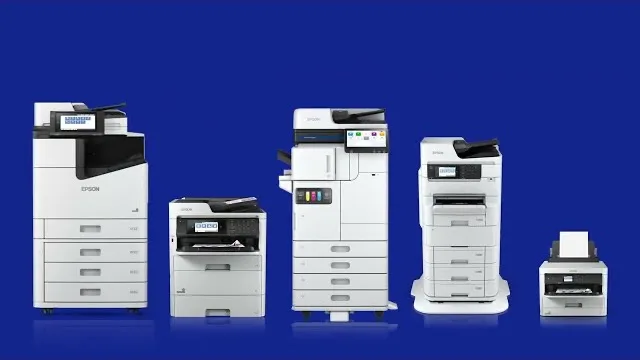
Heat-Free Print TechnologyWatch on YouTube
| Point of comparison | Heat-free inkjet | Laser |
|---|---|---|
| How the image is fixed | A piezo element pushes ink onto the page, with no heat | Heated rollers melt toner into the paper |
| Warm-up | None, from switch-on or from sleep | The fuser heats up before the first page |
| Electricity use | Up to 83% less than a comparable laser, per Epson | Heating the fuser, and keeping it hot between jobs |
| A typical week (TEC) | 0.16 to 0.3 kWh on five current Epson business models | Varies by model; check the spec sheet |
| Parts that wear | Maintenance box and paper-feed rollers | Drum, transfer belt and fuser, replaced periodically |
| Cost per page | Set by your contract | Set by your contract |
| Watch points | Cleaning uses ink; avoid paper pre-printed on a laser or copier | Warm-up time and heated wear parts |
How much less electricity does heat-free printing use?
Epson's published figures put heat-free at up to 83% less energy than a comparable laser printer, with a similar cut in the carbon your printing puts out. On Epson's UK spec pages, five current business models, from an A4 desktop printer to the 100-page-a-minute AM-C10000, list 0.16 to 0.3 kWh of electricity in a typical week.
Those weekly figures are the Typical Electricity Consumption, or TEC, rating: a standard working week of jobs, idle time and sleep, weekend included. ENERGY STAR and Germany's Blue Angel label both use it, which makes it the fairest way to compare two machines.
Epson's percentage compares a heat-free device with a comparable laser and is quoted as "up to", so treat it as the best case rather than a promise. The EU Joint Research Centre's 2024 study of imaging equipment explains where the gap comes from: keeping the fuser hot is one of the main reasons a laser draws power while it waits.
Whichever you choose, set the sleep timer. The Energy Saving Trust advises businesses to have printers power down automatically when they are not in use. Our Measurable Energy smart sockets find everything else left on overnight and switch it off.
What is the saving worth in pounds and carbon?
Across the customers we have moved from laser onto heat-free devices, the energy saved had reached 445,982 kWh by Aug 2026, worth about £148,845, with 136,251.8 kg of CO2 saved alongside it. Those totals run across each customer's full contract term, so what a single office saves depends on its fleet and how much it prints.
To estimate your own saving, take the difference between the TEC figures of the two machines you are offered and multiply by 52 for a year. Then multiply by the rate on your electricity contract. Business electricity sits outside Ofgem's energy price cap, so your own contract rate is the one that counts.
For your carbon report, convert the same kWh figure with the government's greenhouse gas conversion factors for the year you are reporting. Epson's figures put the carbon saving in line with the energy saving, at up to 83%.
Electricity is only part of a printer's footprint. The EU study names raw materials and manufacturing as the main environmental hotspots, so keeping devices longer and printing less matter too. A free print audit works out what each of your current devices uses from its power rating and how much it prints.
Sources: Epson's published Heat-Free figures; Insight Systems customer data at Aug 2026, updated periodically.
Is a business inkjet cheaper to run than a laser?
It can be. Epson's published figures put heat-free at up to 96% fewer consumables, and our customers who switched had saved up to £947,717 between them over their contract terms by Aug 2026. For your own fleet, the running cost comes down to the click charge in your contract and what it covers.
A heat-free device avoids the fuser, drum and transfer belt replacements a laser needs over its life, though it still uses a maintenance box and paper-feed rollers. Much of the inkjet against laser advice online compares home printers, whose small cartridges are nothing like a business device's ink packs. The business inkjet vs laser question works differently. The AM-C5000's ink packs are rated at 50,000 black and 30,000 colour pages. On a managed contract, the ink usually sits inside the click charge: the fixed price you pay for each page printed.
So ask for both quotes on the same basis: the same monthly volume, colour share, term and service level. Two printer leasing quotes only compare fairly when they include the same parts, engineer visits and consumables.
When is laser still the right choice?
Laser can still be the better choice in three cases: a device that prints rarely, stationery already run through a laser or copier, and a working laser fleet with years left on its lease. Epson's own user guide explains the first two. The third comes down to timing.
Epson's user guide for the AM-C series says maintenance draws ink from every cartridge, and some may be used when the printer is switched on. Printhead cleaning uses ink too, and each cartridge should be used within a year of opening. On a device that prints a few pages a week, those overheads weigh more heavily than on a busy one.
The same guide says not to load paper pre-printed by other inkjets, page printers or copiers. Letterhead from a commercial printer is fine; forms your team runs off on the office laser first are not.
Contract timing is the third case. Leaving a lease early can cost more than the energy you would save in the meantime, so the sensible moment to switch is at renewal. We supply six manufacturers, Epson among them, so we can price both when that date comes.
- Pro: Your printers run most days, in short bursts.
- Pro: You report energy use or carbon, or plan to.
- Pro: Your current lease ends within the next year.
- Con: A device prints rarely and sits idle for long spells, such as school holidays.
- Con: You print on stationery already run through a laser or copier.
- Con: Your laser lease has years to run and the fleet works.
Price both at renewal, and let your volumes, stationery and contract dates decide.
Is heat-free right for your office?
For most offices replacing printers at the end of a lease, heat-free is worth pricing alongside laser. The energy and carbon savings are real, and renewal is when you can take them without paying to leave a working contract. That makes renewal the right moment for the Epson heat-free vs laser decision.
Schools, councils and other public bodies can buy heat-free printers without a tender of their own. The Procurement Services framework covers them under Lot 3, which we hold. Whatever you run today, a side-by-side quote for heat-free and laser is the quickest way to see what switching would mean for your fleet.
Frequently asked questions
For electricity, yes. Epson's published figures put heat-free at up to 83% less energy than a comparable laser printer, and five current Epson business models list 0.16 to 0.3 kWh in a typical week. For running cost, it depends on your contract, because the click charge sets the price you pay for each page.
An Epson heat-free printhead uses piezo elements, which flex when electricity is applied, to push ink out of each nozzle. Nothing is heated, so the printer has no fuser and needs no warm-up. A laser melts toner into the paper with heated rollers instead, and keeps them hot while it waits for the next job.
It depends on your fleet and your contract rate. Across the customers we have moved from laser to heat-free, the energy saved had reached 445,982 kWh by Aug 2026, worth about £148,845 over their contract terms. For your own figure, take the difference between two machines' TEC ratings, multiply by 52, then by your contract rate.
PrecisionCore is the printhead technology inside Epson's business inkjets. Epson's PrecisionCore page describes a high-density print chip built from thin-film piezo actuators just 1 micron thick, placing up to 40 million dots a second. The chip is modular, so Epson can build printheads of different sizes. It is what lets a heat-free printer reach office speeds without heating the ink.
It has fewer parts that wear out. Epson says a laser needs its drum, transfer belt and fuser replaced periodically, and its heat-free devices have none of them. They still use a maintenance box, which collects ink from cleaning, and paper-feed rollers. Epson advises cleaning the printhead only when print quality drops, because cleaning uses ink.
We supply Epson heat-free devices and laser machines from other manufacturers, so we can price both on the same basis. Tell us what you run today and we will send a written price within one working day, free and with no obligation.
Get an Epson Quote